IPTV With Adult Channels: Optional, PIN-Locked, and Fully in Your Control
Watchit treats adult categories as strictly optional: disabled unless you request them, removable on demand, and lockable with a PIN in every major IPTV app.
- Off by default — enabled only on request
- PIN locks and full category removal
- Discreet billing and private WhatsApp setup
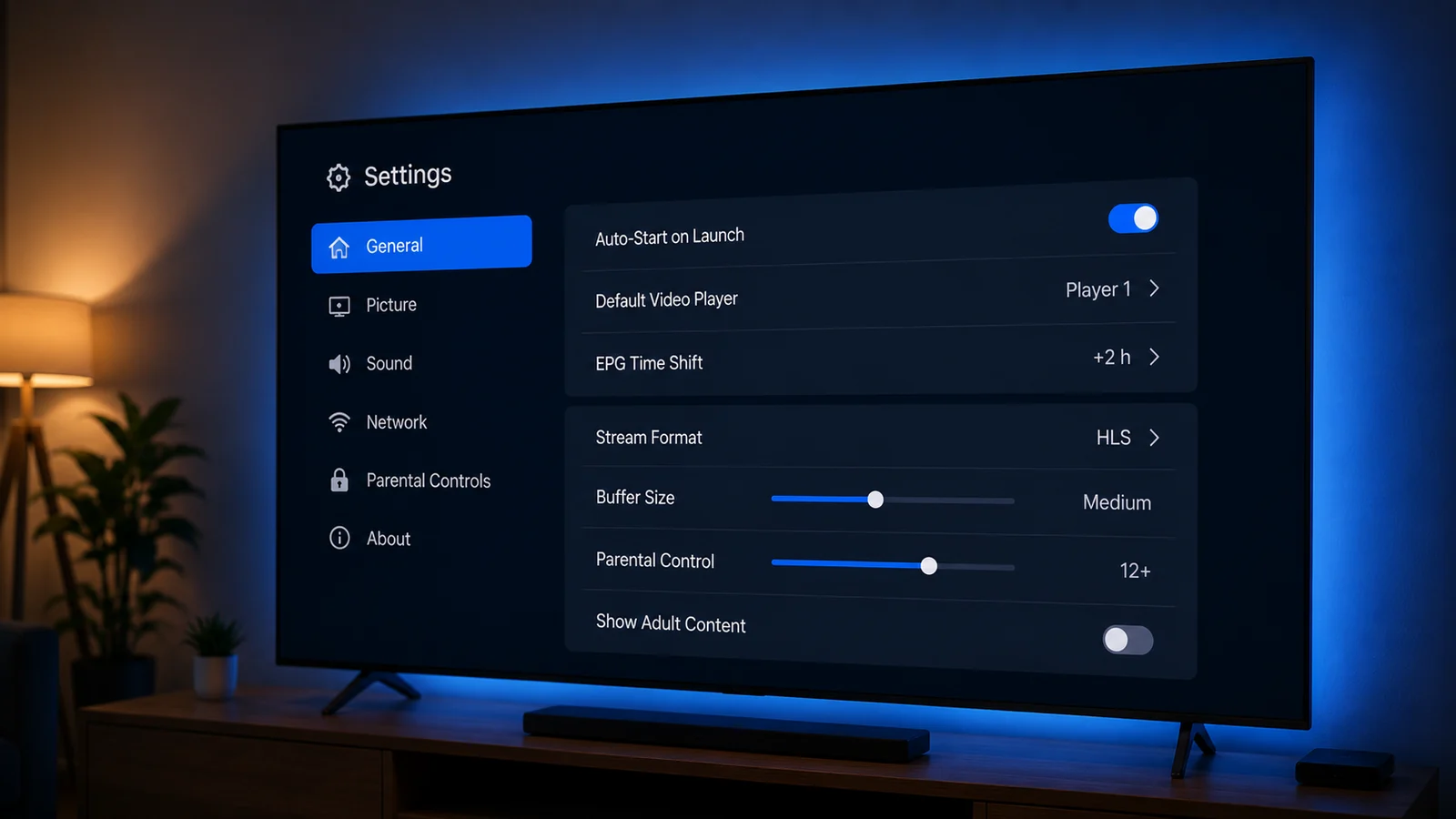
IPTV with adult channels is one of the most misunderstood corners of streaming, so this page explains it plainly. Watchit includes optional adult categories in its channel lineup, but they are disabled on every new account until you explicitly ask for them. That means the same $25 three-month subscription serves two opposite audiences: adults who want those categories enabled discreetly, and parents who want a guarantee they never appear. Below you'll find how activation works, how PIN locks function in apps like IPTV Smarters Pro and TiviMate, what shows on your bill, and why free adult playlists are a genuine security hazard.
Control and Discretion Built Into One Subscription
The adult category question comes down to four things: choice, locks, privacy, and honest pricing. Watchit handles all four without upsells.
Disabled Until Requested
Every new Watchit line ships with adult categories switched off at the server level. They only appear in your channel list after you send an explicit activation request through WhatsApp support.
PIN Locks in Every Major App
IPTV Smarters Pro, TiviMate, and XCIPTV all support parental PIN codes that hide entire categories behind a numeric lock, so enabling a category never means exposing it to the whole household.
Neutral Billing Descriptor
Your payment shows a generic merchant reference whether you pay by PayPal, credit card, or crypto. Nothing on a statement indicates which channel categories your account carries.
Zero Category Surcharges
Adult categories are part of the standard 22,000+ channel package, never a paid add-on. Enabling or removing them costs nothing and changes nothing about your renewal price.
Private Configuration by Support
The 24/7 WhatsApp team applies category changes server-side within minutes. You never post a request on a public forum or ticket board — the conversation stays between you and one agent.
Reversible Anytime
Changed your mind, or handing the account to a family setup? One message removes the categories entirely from your playlist, and they stay gone through every EPG refresh and app reinstall.
How to Enable or Disable Adult Categories on Watchit
No technical skills needed. Pick a plan, receive your login credentials by email, and start watching on any device.
Message support on WhatsApp
Open the 24/7 WhatsApp support line from your welcome email and state clearly whether you want adult categories enabled or removed on your line. No justification is required either way.
Confirm you are 18 or older
For activation requests, the agent asks you to confirm you are an adult and the sole person controlling the request. This is a one-time confirmation tied to your subscription line.
Wait for the server-side update
Changes are applied to your account credentials directly on the server, usually within 5 to 15 minutes. There is nothing to reinstall and no new playlist URL to load.
Refresh your app and set a PIN
Pull down to refresh live categories in IPTV Smarters Pro or TiviMate, verify the change took effect, and — if you enabled anything — set a parental PIN immediately before anyone else uses the TV.
Why Buyers Comparing Adult IPTV Providers Choose Watchit
Most adult IPTV providers advertise the category loudly and hide everything else — pricing, trial terms, support hours. Watchit inverts that: the category is quiet and optional, while the plan terms, payment methods, and support channel are documented publicly and answer to you.
- One transparent price — $25/3mo, $45/6mo, $70/12mo — with categories included, never upsold
- 24-hour trial available with or without adult categories, your choice at request time
- Server-side category removal that survives app reinstalls and device changes
- Anti-freeze servers and 4K/FHD streams across the full 22,000+ channel lineup
- 24/7 WhatsApp support that treats category requests as routine, private account changes
- Multi-Screen plan ($140/12mo) supports per-device app PINs across 3 simultaneous screens

Configure Your Line Before You Pay
Tell us at checkout whether you want adult categories on or off, and your subscription is provisioned that way from the first login — one price either way.
Choose Your IPTV Plan
Simple, transparent pricing. Every plan includes the full channel lineup, the VOD library, and 24/7 support. Cancel anytime.
3 Months
The easy way to try premium IPTV without a long commitment.
$45 Save 44%
Get 3 Months- 22,000+ live channels
- 80,000+ movies & series (VOD)
- Full HD and 4K where available
- Works on 1 device at a time
- Anti-freeze servers and EPG guide
- 24/7 support on WhatsApp
6 Months
The balanced pick if you watch TV every day.
$80 Save 44%
Get 6 Months- Everything in the 3-month plan
- Priority anti-buffering streams
- Premium channels in 4K and Full HD
- Works on 1 device at a time
- Free updates and catch-up TV
- Fast 24/7 support
12 Months
The lowest monthly price. Our most popular plan.
$140 Save 50%
Get 12 Months- Everything in the 6-month plan
- The lowest price per month
- 22,000+ channels in 4K/FHD
- Premium anti-freeze network
- Multi-device ready
- VIP priority 24/7 support
Still not sure? Start a free trial before you buy.
Adult Channels on IPTV: How They Actually Work
On an IPTV platform, channels are organized into named categories — news, sports, movies, kids, international — and adult programming sits in its own clearly labeled category group, exactly like any other genre. The provider's server decides which category groups your login credentials can see. When you open IPTV Smarters Pro or TiviMate, the app requests your channel list from the server and displays only the groups attached to your account.
This architecture matters because it means adult content is a server-side permission, not something baked into the app or the playlist file on your device. A provider can include the group, exclude it, or toggle it per account without you touching a setting. Watchit's full lineup spans 22,000+ live channels across every mainstream genre — you can browse the structure on the IPTV channel list page — and the adult group is simply one optional branch of that tree, invisible unless your specific line has it switched on.
Optional by Design: Adult Categories Are Off Unless You Ask
Plenty of adult IPTV providers do the opposite of what families expect: they ship every account with adult groups enabled and leave it to the customer to figure out how to hide them. Watchit made the deliberate policy decision to default to off. A brand-new subscription — whether it's the $25 three-month plan or the $140 Multi-Screen plan — arrives with zero adult categories in the channel list.
That default protects three groups of people at once. Parents get a service that is family-safe out of the box, with nothing to discover by accident while channel surfing. Gift buyers can hand credentials to a relative without an awkward conversation. And adults who do want the categories get them through a deliberate, verified request rather than a buried checkbox, which keeps the choice conscious and documented on your line. Opt-in by request is a stronger guarantee than any app-level filter, because it happens before the content ever reaches your device.
How to Enable or Disable Adult Content on Your Watchit Subscription
Both directions run through the same private channel: the 24/7 WhatsApp support line included with every plan. To enable, message support, confirm you are 18 or older, and the agent flags your credentials server-side — typically live within 5 to 15 minutes. To disable, send one sentence asking for removal; no reason needed, no retention questions asked.
Three practical details are worth knowing. First, the change is tied to your subscription line, so it follows you across devices — Firestick, Android box, Smart TV — without reconfiguring anything. Second, removal is genuinely complete: the category group vanishes from the server response, so even a factory-reset app re-downloading your playlist gets a clean list. Third, if you're still deciding, you can specify your preference at checkout when you buy an IPTV subscription, and the account is provisioned that way from minute one. Existing subscribers can flip the setting as often as they like at no charge.
Parental Controls and PIN Locks in Popular IPTV Apps
Even with categories enabled, every major IPTV app adds a second layer of defense on the device itself. Here's how the three most common apps handle it:
- IPTV Smarters Pro: Settings → Parental Control lets you set a 4-digit PIN and check off entire categories to lock. Locked groups show in the menu but demand the PIN before listing any channels. The IPTV Smarters Pro guide walks through the full menu.
- TiviMate: Settings → Parental Controls supports a PIN plus the option to hide locked groups from the interface entirely, so the category name itself never renders on screen.
- XCIPTV: Offers a master lock in Settings → Security that gates both live categories and VOD sections behind one code.
Set the PIN yourself before anyone else touches the remote, and pick a code that isn't your address or birth year — kids know both. App locks and server-side removal are complementary: locks are convenient for shared TVs, removal is absolute for accounts kids can access unsupervised.
Building a Fully Family-Friendly IPTV Setup (Zero Adult Content)
If you're searching for a family-friendly IPTV service with no adult content, the honest answer is that the safest setup isn't a special provider — it's a provider that removes the categories at the server. With Watchit, request a family-safe line and the adult group is stripped from your account's channel response entirely. There is nothing to hide, nothing to lock, and nothing a curious teenager can un-hide with a settings reset.
Layer on top of that in ten minutes: enable your streaming device's built-in restrictions (Fire TV's Parental Controls PIN gates app launches and purchases; Google TV supports restricted profiles), set an app-level PIN anyway as a habit, and keep the WhatsApp confirmation message as your record that the account was provisioned family-safe. The kids' category, cartoons, and educational channels remain fully available — removal targets one category group, never the broader lineup. Families testing this arrangement can run a 24-hour free trial provisioned family-safe from the start.

Privacy and Discretion: Billing, Account, and Viewing Privacy
Discretion is a legitimate purchase criterion, so here is precisely what is and isn't visible. On billing: Watchit charges appear under a neutral merchant descriptor regardless of which categories your line carries, and the payment methods page covers PayPal, credit card, and crypto — the last of which adds another layer of separation for buyers who want it. Your invoice lists a subscription term, never a channel manifest.
On the account side, category status lives in the provider's provisioning system, visible only to support staff handling your line. There is no public profile, no community watchlist, and no social layer in IPTV apps that could surface viewing activity. On the network side, your ISP can see that you're streaming video and to which server, though not a channel-by-channel log presented anywhere; subscribers who want their streaming traffic fully opaque to the ISP typically add a VPN. Household privacy is the one layer you control directly: use app PINs and separate device profiles on shared TVs.
Why Free Adult IPTV Lists Are a Malware and Scam Minefield
Search for free adult M3U playlists and you'll find thousands of links on forums, Telegram groups, and paste sites. Nearly all of them are traps, and the mechanics are predictable. The playlist file itself is a lure: the streams die within hours, and the surrounding page pushes an “unlocked player” APK that requests accessibility permissions — a classic Android banking-trojan delivery route. Adult-labeled bait converts better than any other category because embarrassed victims rarely report it.
The common patterns:
- Credential harvesting: fake “verify your age” gates that capture the email and password combos people reuse everywhere.
- Subscription traps: a $1 “age check” card charge that quietly enrolls you in a $49/month rebill.
- Sideloaded spyware: modified player APKs with injected code, unverifiable because they never touch an official app store.
None of this is hypothetical — it's the standard economics of free-content bait. A legitimate paid line with documented pricing plans costs $25 for three months; the free alternative costs your card number. The IPTV legality guide covers the separate legal dimension of unverified sources.
Age Verification and Responsible Use
Watchit's activation flow requires an explicit 18+ confirmation before adult categories are attached to any line, delivered person-to-person in the support conversation rather than a click-through checkbox nobody reads. That confirmation is logged against the subscription, which protects both sides: you have a record that the account was configured at your adult request, and the service has a record that it never enabled the content by default.
Responsibility then shifts to the account holder, and it's worth stating the obligations plainly. If minors ever use devices tied to your line, either keep the categories removed at the server or maintain PIN locks you actually change periodically. Treat your login credentials like a streaming password, not a shared utility — standard Watchit plans authorize one device at a time, which naturally limits sprawl. And if household circumstances change — a new roommate's kids, a shared vacation-home TV — one WhatsApp message reverts the line to family-safe within minutes. The system is built so that the responsible choice is always the easy one.
Setting Up Category Filters on Firestick, Smart TV, and Android
Device-level setup takes about five minutes per screen, and each platform has one extra control worth enabling:
- Amazon Firestick: Install your IPTV player, then open Fire TV Settings → Preferences → Parental Controls and set the Amazon PIN — it gates app launches system-wide, a layer above the app's own lock. The Firestick IPTV guide covers the full install path.
- Samsung and LG Smart TVs: Load IPTV Smarters Pro or the native portal app, set the in-app parental PIN, then add the TV's own broadcast lock (Settings → General → System Manager → Change PIN on Samsung; Settings → Safety on LG webOS) so a deleted-and-reinstalled app still faces a barrier.
- Android TV and Google TV boxes: Create a restricted profile or a kids profile for shared use, install the IPTV app only on the adult profile, and PIN the profile switcher itself.
The pattern is consistent: one lock inside the IPTV app, one lock at the operating system, and — for absolute certainty — server-side removal above both.
One Plan, Your Choice: No Extra Fees for Optional Categories
A recurring trick among adult IPTV providers is tiered content pricing: a base package, then a $5–$10 monthly surcharge to “unlock” adult groups, sometimes with a separate “VIP” tier stacked on top. It's a margin play dressed up as a feature, and it also creates a paper trail most buyers would rather avoid — a line item that literally names the upgrade.
| Item | Watchit | Typical tiered provider |
|---|---|---|
| Adult category access | Included, opt-in, $0 | $5–$10/month add-on |
| Family-safe removal | Free, server-side, anytime | Often app-hiding only |
| Billing line item | One neutral subscription charge | Named add-on on the invoice |
| Trial with your configuration | 24 hours, either setup | Rarely offered |
Every Watchit tier — $25/3 months, $45/6 months, $70/12 months, $140 Multi-Screen — carries identical category options. Compare that against the add-on providers charging tiered unlock fees and the pricing gap widens fast: you're paying once for the whole 22,000+ channel and 80,000+ VOD library, configured your way.
Test the Setup That Fits Your Household
Run the 24-hour trial provisioned exactly as you'd subscribe — family-safe or with optional categories — and verify PIN locks on your own devices first.
Frequently Asked Questions
Everything you need to know before you subscribe. Still have questions? Our support team is available 24/7.
Related IPTV guides and plans
Get Set Up Discreetly: 24-Hour Trial With 24/7 WhatsApp Support
One WhatsApp message gets your trial line provisioned your way in minutes — categories on, off, or PIN-locked — with a neutral billing descriptor when you upgrade.