STRNG IPTV 8K Review: Real Picture Quality or Marketing Label?
STRNG IPTV leads with an 8K promise that sounds impressive on a sales page. This review explains what 8K actually requires, what STRNG verifiably offers, and how to test any resolution claim yourself.
- The 8K claim examined against bandwidth reality
- Pricing and trial policy reviewed for transparency
- How to verify true stream resolution in minutes
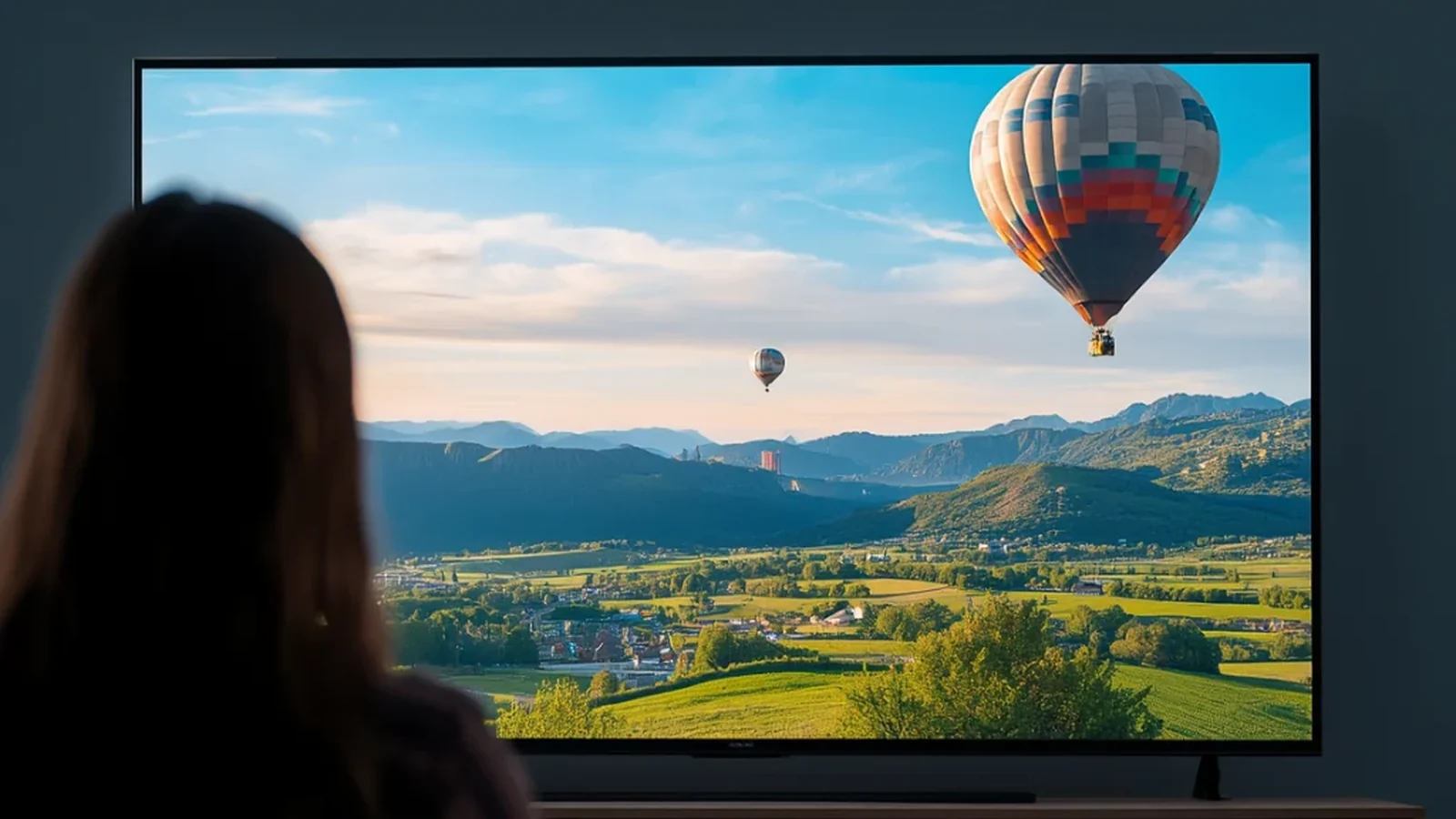
This STRNG IPTV 8K review starts with the question the marketing invites: can any IPTV service actually deliver 8K in 2026? STRNG builds its entire brand around that number, and it works — 8K sounds like twice the quality of 4K to a shopper scanning provider lists. The technical reality is more complicated. Almost nothing on live television is produced in 8K, and streaming it would demand bandwidth most US homes can't sustain. Below we separate what STRNG verifiably offers from what the label implies, show you how to check real stream resolution yourself, and compare the offer against Watchit's provable 4K/FHD performance.
What You'll Learn Before Spending a Dollar
Resolution claims are the easiest thing in IPTV marketing to inflate and the hardest for buyers to check. This review gives you the tools to check them.
The 8K Claim, Decoded
A plain-English explanation of what 8K means technically — 7,680 by 4,320 pixels — and why that number rarely survives contact with live TV source feeds.
Bandwidth Math That Matters
True 8K streams need roughly 80-100 Mbps sustained per stream. We map that against typical US home internet so you can judge feasibility yourself.
A Self-Verification Method
Step-by-step instructions for reading the actual stream resolution in TiviMate or IPTV Smarters Pro during any trial, so marketing labels stop mattering.
Pricing Transparency Check
What STRNG publishes about plans and trials versus what stays vague until checkout — the single most reliable signal when evaluating any IPTV provider.
An Honest Alternative Benchmark
Watchit claims 4K/FHD where available and invites you to confirm it in a 24-hour trial — a standard you should hold every provider to, including us.
Why Buyers Compare STRNG Against Watchit
Shoppers who research the 8K claim usually land on a simpler question: which service proves its picture quality before payment? Watchit answers with published pricing, a 24-hour trial, and honest 4K/FHD labeling — the verifiable version of what resolution marketing only promises.
- 22,000+ live channels and 80,000+ movies and series on record
- 4K/FHD where the source broadcast supports it — stated honestly
- Anti-freeze servers you can stress-test during the trial window
- Published plans: $25, $45, $70, and $140 Multi-Screen — visible before checkout
- 24-hour free trial to read real stream stats on your own TV
- 24/7 WhatsApp support that answers resolution questions directly

Skip the Resolution Guessing Game
Watchit publishes its plans — $25, $45, $70, or $140 Multi-Screen — and states exactly what you get: 22,000+ channels in 4K/FHD where available. Pick a plan knowing the numbers are checkable.
STRNG IPTV vs Watchit at a Glance
| Features | Feature | STRNG IPTV | Watchit |
|---|---|---|---|
| Headline quality claim | 8K advertised | 4K/FHD where available | |
| Claim verifiable by user | Requires self-testing | Yes — stated to match source feeds | |
| Pricing published upfront | Varies by reseller listing | $25 / $45 / $70 / $140, on-site | |
| Free trial | Terms unclear at review time | 24 hours, stated policy | |
| Simultaneous screens | Depends on plan listing | 1 standard, 3 with Multi-Screen | |
| Support channel | Contact form / varies | 24/7 WhatsApp | |
| Payment options | Listed at checkout | PayPal, credit card, crypto |
Choose Your IPTV Plan
Simple, transparent pricing. Every plan includes the full channel lineup, the VOD library, and 24/7 support. Cancel anytime.
3 Months
The easy way to try premium IPTV without a long commitment.
$45 Save 44%
Get 3 Months- 22,000+ live channels
- 80,000+ movies & series (VOD)
- Full HD and 4K where available
- Works on 1 device at a time
- Anti-freeze servers and EPG guide
- 24/7 support on WhatsApp
6 Months
The balanced pick if you watch TV every day.
$80 Save 44%
Get 6 Months- Everything in the 3-month plan
- Priority anti-buffering streams
- Premium channels in 4K and Full HD
- Works on 1 device at a time
- Free updates and catch-up TV
- Fast 24/7 support
12 Months
The lowest monthly price. Our most popular plan.
$140 Save 50%
Get 12 Months- Everything in the 6-month plan
- The lowest price per month
- 22,000+ channels in 4K/FHD
- Premium anti-freeze network
- Multi-device ready
- VIP priority 24/7 support
Still not sure? Start a free trial before you buy.
What Is STRNG IPTV? Overview of the 8K Claim
STRNG IPTV is a subscription streaming provider marketed heavily around one differentiator: the promise of 8K picture quality. Its sales pages lean on the number the way budget services lean on channel counts — as the headline reason to pick it over the hundreds of other providers competing for US subscribers. The pitch typically bundles a large live channel lineup, video-on-demand, and multi-device compatibility, which is standard fare across the IPTV provider market in 2026.
To be fair to STRNG, using a bold resolution label is an industry-wide habit, and this review treats it that way rather than as a unique offense. Plenty of services stamp 8K, 10K, or even 16K on their branding. The relevant question for a buyer is narrower: does the label describe the streams you'll actually watch, or the theoretical ceiling of the player software? Everything in this review flows from that distinction, and the good news is that you can settle it yourself with a trial and about ten minutes of checking.
8K IPTV Explained: What the Label Really Means
Technically, 8K means a frame of 7,680 by 4,320 pixels — four times the pixel count of 4K and sixteen times that of 1080p Full HD. For that resolution to reach your screen, three things must all be true: the content was produced or broadcast in 8K, the provider transmits it at that resolution, and your display and streaming device can decode it. Break any link in that chain and you're watching something lower, whatever the app badge says.
In IPTV marketing, the 8K label usually refers to one of three things. First, upscaling: a 1080p or 4K feed stretched to fill more pixels, which adds sharpness algorithmically but creates zero new detail. Second, player capability: the app could display an 8K file if one existed, so the number describes potential rather than content. Third, pure branding — a tier name like 8K Plan that has nothing to do with resolution at all. None of these are fraud in a legal sense, but none of them are the native 8K a reasonable shopper pictures when reading the sales page either.
Does True 8K Streaming Exist? Bandwidth and Source Reality
Start with the source problem. Virtually no live television anywhere in the world is produced in 8K in 2026. A handful of experimental broadcasts exist — Japan's NHK has run an 8K satellite channel, and select events like the Olympics have seen 8K test captures — but US networks master their live feeds in 1080p or 4K. An IPTV provider cannot transmit resolution the broadcaster never created. Live sports, news, and entertainment channels arrive at every provider, STRNG included, in HD or at best UHD.
Then there's the pipe. A properly encoded 8K stream in HEVC or AV1 needs roughly 80-100 Mbps sustained — per stream, after overhead, without buffering headroom. Median US fixed broadband hovers around 250 Mbps download in 2026, which sounds sufficient until you subtract Wi-Fi loss, household devices, and evening congestion. Netflix, with vastly deeper infrastructure than any IPTV provider, caps its top tier at 4K around 15-25 Mbps. If the largest streamer on earth hasn't shipped 8K commercially, a subscription IPTV service delivering it across 22,000 channels is a claim that deserves your skepticism — and your verification.
STRNG IPTV Service: Content, Pricing, and Trial Policy
Setting resolution aside, what does STRNG actually sell? Public listings describe a package familiar to anyone who has compared providers: thousands of live channels across news, sports, movie, and entertainment categories, a VOD library, EPG support, and compatibility with common apps and devices — Firestick, Android boxes, Smart TVs, and players like IPTV Smarters Pro. On paper it's a complete offer.
The transparency picture is weaker. At the time of this review, STRNG's pricing appears inconsistently across reseller sites, and the official trial terms are hard to pin down — some listings mention a paid test line, others a short free window, and the durations don't match. That's not an accusation; it's an observable gap, and it matters. When a provider's costs and trial conditions vary depending on where you find them, you can't comparison-shop accurately, and you can't be sure the seller you pay is the operator who runs the servers. Before paying anyone in this market, it's worth reading how legitimate IPTV providers typically present pricing, trials, and support so the red flags are easier to spot.
Streaming Quality in Practice: What to Verify Yourself
We didn't run lab tests on STRNG's streams, and this review won't pretend otherwise. What we can give you is the method to test any provider's resolution claim yourself — it takes minutes and ends every marketing debate instantly.
- Get trial access. Whatever the provider's trial terms, insist on testing before paying for a long plan.
- Open the stream stats. In TiviMate, play a channel and check the playback info overlay; in IPTV Smarters Pro, the player displays the feed resolution and bitrate; on a PC, VLC shows codec details under Tools, then Codec Information.
- Read the numbers. A true 8K stream reports 7680x4320. What you'll almost certainly see on live channels is 1920x1080 or 3840x2160 — solid, watchable resolutions that simply aren't 8K.
- Check the bitrate. A 4K stream below 8 Mbps is heavily compressed regardless of pixel count; resolution alone doesn't guarantee a clean picture.
- Stress-test at peak hours. Stream a popular channel between 7 and 10 p.m. local time, when server load exposes buffering that afternoon tests hide.
Apply this to STRNG, to Watchit, to anyone. A provider confident in its quality — like the premium 4K IPTV tier Watchit runs — survives this check comfortably.
Named after a search keyword rather than a product? The IPTV Trends review examines that species of brand.

Real Strengths of STRNG IPTV
An honest review credits what works, and STRNG has genuine points in its favor. The channel lineup described in its listings is broad, covering the news, sports, movie, and international categories most US households actually watch. Device compatibility is wide: reports and listings consistently mention smooth installation on Firestick, Android TV, and Smart TV platforms using standard players, which means switching to or from the service is low-friction. If you're setting up on Amazon hardware, our Firestick IPTV guide covers the same installation path.
The 8K branding itself, whatever its technical merits, signals that STRNG invests in encoding and presentation — services that market on quality generally deliver at least respectable HD streams, because a quality-first pitch collapses fastest when the picture stutters. And the service supports EPG data and VOD alongside live channels, which puts its feature set in line with established mid-market providers. None of this validates the 8K number, but it does mean STRNG shouldn't be dismissed as a throwaway operation. The open questions are transparency and truth-in-labeling, and those are fixable problems — from the provider's side.
Limitations: Marketing Claims vs Verifiable Facts
The limitations that matter here are all things a careful buyer can confirm independently. First, the headline: as covered above, no meaningful live 8K content pipeline exists in 2026, so the 8K label cannot describe the live channels that make up the core of the product. At best it describes upscaling or player capability, and the sales material doesn't clearly say which. A shopper deserves that footnote before paying.
Second, pricing opacity. When plan costs differ between the official site and reseller listings, you lose the ability to know whether you're getting the operator's real price or a markup. Third, the trial policy is inconsistent across sources — and a trial is precisely the mechanism that would let you verify the 8K claim, which makes vagueness there doubly costly. Fourth, support channels and refund terms aren't clearly documented in public materials we could verify.
To be explicit about scope: we found no incidents, outages, or user complaints to report, and we invented none. These limitations are transparency gaps, not accusations of bad service — but in a market where you pay upfront, transparency gaps are themselves the risk.
4K Done Right vs 8K Promised: The Smarter Choice
Here's the practical truth the resolution wars obscure: a well-delivered 4K stream beats a promised 8K stream every single time, because one of them exists on your screen and the other exists on a banner. Picture quality on real-world IPTV is decided by four factors — source feed quality, encoding bitrate, server stability under load, and your device's decoding — and resolution is only one input among them. A 1080p feed at a healthy bitrate on stable servers looks visibly better than a nominal 4K feed that's starved to 6 Mbps and rebuffers during the fourth quarter.
This is why Watchit words its own claim the way it does: 4K/FHD where available. Where the broadcast source is UHD, you get UHD; where it's 1080p, you get clean 1080p, carried on anti-freeze servers built to hold bitrate at peak hours. That's a smaller number than 8K and a bigger promise, because every part of it is checkable with the stats overlay from the section above. Buyers comparing plans can see exactly what each tier costs on the Watchit pricing page — $25 for 3 months through $70 for a full year — before entering any payment details.
STRNG IPTV vs Watchit: Honest Comparison
The table above summarizes the head-to-head, but the pattern deserves spelling out. On raw feature lists, the two services look similar — both offer large channel lineups, VOD libraries, EPG guides, and broad device support. The differences concentrate entirely in what each provider commits to in writing.
STRNG's strongest card is the boldness of its quality pitch; its weakest is that the pitch can't currently be reconciled with how live television is produced and streamed. Watchit's numbers are deliberately less flashy — 22,000+ live channels, 80,000+ movies and series, 4K/FHD where available — but each one is stated as a checkable fact, with published plans from $25 and a defined 24-hour trial to test against. Multi-device households get a documented option too: the $140 Multi-Screen plan runs 3 simultaneous streams for 12 months, while standard plans are honest about covering 1 device at a time. Payments run through PayPal, card, or crypto, and support answers on WhatsApp around the clock. If you weigh providers the way this review suggests — by what they'll put in writing and let you verify — that's the comparison that decides it.
Verdict: Is STRNG IPTV 8K Worth It in 2026?
Verdict: STRNG IPTV is a plausible mid-market service wearing an implausible label. If you can obtain clear pricing and a genuine trial, there's nothing here suggesting the underlying streams are bad — they're likely competent HD and UHD feeds, like most of the market. But you should walk in expecting 1080p and 4K, because that's what live television is in 2026, and treat the 8K branding as decoration. If STRNG's actual resolution matters to your decision, verify it with the stats-overlay method before committing to a long plan, and weigh what you find against providers whose claims match their streams from day one.
Where does that leave the buying decision? If a provider's honesty in labeling predicts its honesty elsewhere — in billing, in support, in uptime — then the safer money goes to services that under-promise and let you confirm. That's the standard we built Watchit against, and it's the standard our other IPTV service reviews apply to every competitor, STRNG included. Whichever service you choose, never skip the trial, and never pay for a year on the strength of a resolution number alone.
Verify Before You Pay — On Any Service
The stats-overlay test in this review works on every provider. Run it on Watchit first: 24 hours of full access, real stream resolutions on your own screen, zero payment details required to start.
Frequently Asked Questions
Everything you need to know before you subscribe. Still have questions? Our support team is available 24/7.
Related IPTV guides and plans
Test Watchit's 4K/FHD Quality Free for 24 Hours
Don't take a label's word for it — ours included. Open the trial, pull up the playback stats, and read the actual resolution and bitrate on your TV. If the picture earns your money, plans start at $25 for 3 months.